Ring
The visitor presses the video doorbell. The front office sees and talks with them on a desk screen or phone.
Every visitor rings the video doorbell at your front entrance and holds a photo ID up to the camera. The front office sees who's there, the visit is logged with their photo, ID, and time, and anyone on a list your district approves, such as a trespass, custody, or court order, never gets buzzed in. The door stays locked, and the office, SRO, and our analysts are alerted.
It uses the video doorbell at your secured vestibule, so visitors don't need an app and staff don't need to leave the office.
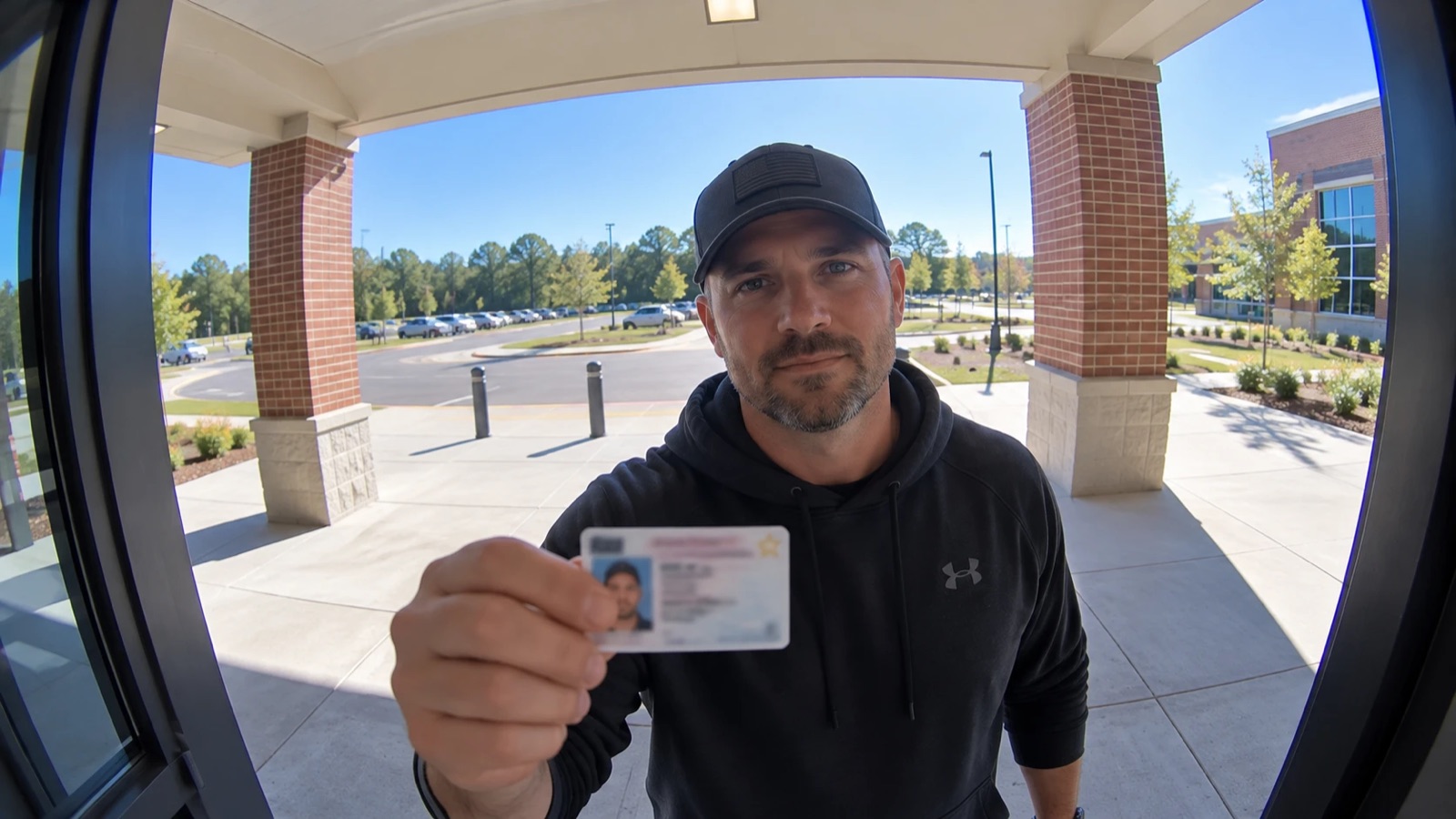
The visitor presses the video doorbell. The front office sees and talks with them on a desk screen or phone.
They hold a driver's license or photo ID up to the camera, and the image is captured with the visit.
Staff confirm the face matches the ID and the reason for the visit. A match to a district-approved list raises an alert.
Approved visitors are buzzed in and logged. If someone shouldn't be there, the door stays locked and the SRO is alerted.
Photo, ID image, date, time, and who let them in, searchable when you need to know who was in the building.
People under a trespass, custody, or court order the district has on file are flagged at the door, before it opens.
Nobody gets in on a guess. A flagged visitor is handled outside a locked door, not in the front office.
Steadfast analysts back up the front office on alerts, and follow a flagged visitor on camera if they move around the building.
Doorbells at side, staff, and delivery entrances follow the same rules, so there's no unwatched way in.
Staff can see and talk with a visitor from a phone, so the door is covered even when the front desk isn't.
*Weapon detection is a specialist add-on on supported cameras. Watchlist matching is optional and limited to people your district approves. Times are examples.
Built on Verkada and Ubiquiti UniFi video intercoms, doorbells, and access control. If your entrances already have video doorbells, we'll check during your assessment whether they can be used.
The visitor rings the video doorbell at your secured entrance and holds a photo ID up to the camera. Front office staff see and talk with them, confirm the face matches the ID and the reason for the visit, then buzz them in. The visit is logged with the photo, the ID image, and the time.
The door stays locked. The front office, SRO, and Steadfast analysts are alerted with the photo and the order on file, and the situation is handled outside a locked door. Analysts can follow the person on camera if they move around the building.
No. Visitor ID uses the video doorbell or intercom at your entrance, so visitors don't need an app and staff can answer from a desk screen or a phone. If your entrances already have video doorbells, we'll check during your assessment whether they can be used.
Your district does. Footage, plate reads, sensor data, and logs belong to the district and are kept only as long as your policy says. Every video view and search is logged for audit.
Only if your district chooses to. Face matching is optional and only compares against a watchlist your district approves, such as people under a trespass or court order, where state law and district policy allow it. An analyst verifies every match.
Our free guide to proactive campus safety, with a letter from our founders, stories from a Steadfast campus, and tools you can use with your team this week.
Book a no-cost campus safety assessment. We'll walk your site with you and show you where 24/7 monitoring would make the biggest difference.